# Hugo Unified Git Activity
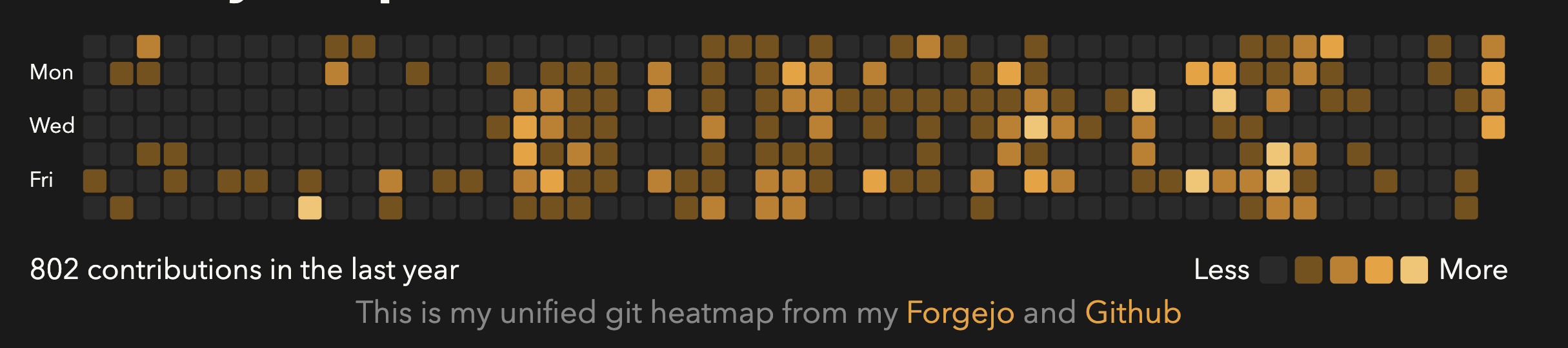
>Maintain bathroom tile developer status when working in multiple git hubs.
This repo provides:
1. A Go command (at `./get_history`) that fetches git activity from Github, Gitlab, and Forgejo
2. A Hugo partial and shortcode that generates a git styled heatmap from it
## Dependencies
- Go
- Hugo
## User Guide
### Running activity collection
To run the go script to get activity history you can just do
```bash
go run forge.alexselimov.com/aselimov/hugo-unified-git-activity/get_history@latest -o /path/to/hugo/static
```
This requires the following environment variables to be defined:
```bash
GH_API_KEY=
FJ_API_KEY=
FJ_USER=
FJ_URL= //Optional: defaults to codeberg.org
GL_API_KEY= //Optional: default to gitlab.com
GL_USER=
GL_URL=
```
Environment variables can be placed in a .env script wherever you are running the go command from.
If you don't define environment variables, it will just skip that hub.
Example, if any `FJ_*` variable is undefined then the forgejo portion will be skipped.
### Hugo shortcode
First add this module to your hugo.toml
```toml
# edit hugo.toml
[module]
[[module.imports]]
path = 'forge.alexselimov.com/aselimov/hugo-unified-git-activity'
```
Then run `hugo mod get -u` to pull the latest version.
You should now be able to add the heatmap to your site using either a shortcode in the markdown, e.g.
```
{{< git-heatmap >}}
```
or as a partial to your html templates:
```
{{ partial "git-heatmap.html" . }}
```
You can configure the colors and captions, see the example from my site's configuration below:
```toml
[params.heatmap]
caption = "This is my unified git heatmap from my Forgejo and Github"
color_empty_light = "#e8e4dc"
color_empty_dark = "#2a2a2a"
color_max = "#7a5010"
color_high = "#C47E1A"
color_mid = "#EF9F27"
color_low = "#F7C46A"
swap_colors = true # Optional, defaults to true
```
The colors swap, `color_low <--> color_max, color_mid <--> color_high` based on a `@media (prefers-color-scheme: dark/light)` query. Set `swap_colors = false` to keep the same low-to-max color order regardless.
### Keeping activity in-sync
I host my site (and some other self-hosted stuff) on a Vultr vps.
To keep my activity in sync, I just set up a cron job that does:
```cron
*/30 * * * * go run forge.alexselimov.com/aselimov/hugo-unified-git-activity/get_history@latest -o /var/www/alexselimov.com/activity.json
```
If you aren't on a VPS and using actions to deploy your site ([that's how I deploy my personal blog](https://forge.alexselimov.com/aselimov/AlexSelimov.com/src/branch/master/.forgejo/workflows/build_and_deploy_site.yml)), you can just add an action to update your `static/activity.json` and deploy however often you want.
## Important Notes
- I originally wrote it in Typescript but thought go would be better to distribute to Hugo users (since you probably already have go installed) **so the go version is a completely vibed port**. I didn't look at the code, but it's probably fine?
- Private repo contributions are tracked, but they are anonymized in the activity.json. It shows up as `"private": ""`.
- I added Gitlab functionality but, I don't use Gitlab so it may have issues. I set up a test account and did a quick test to make sure a new commit showed up, but good likelihood of edge cases.
- The activity script will deduplicate based on repo name. Example: You have a repo named `cool-project` on with 1 Github contribution, 8 Forgejo contributions, and 1 Gitlab contribution. This code will grab the daily activity for that project across all providers and pick the highest value for the day, 8.